





DuitNow QR vs DuitNow Transfer: Speed Comparison for Slot Withdrawals
We compare DuitNow QR vs DuitNow transfer to help you choose the fastest withdrawal method for Malaysian players. Our internal monitoring shows a 2.3-minute average withdrawal time across all payment methods on our platform, and this guide explains how setup, device and authentication choices affect speed and reliability.
Table of Contents
- Understanding DuitNow QR vs DuitNow Transfer Methods
- Speed Performance: Real-World Timing Comparison
- Setup Requirements and Initial Configuration
- Transaction Limits and Daily Caps
- User Experience and Interface Differences
- Security and Fraud Prevention Features
- Troubleshooting Common Issues
- Optimizing Your DuitNow Setup for Maximum Speed
- Choosing the Right Method for Your Needs
- Responsible Gaming
Understanding DuitNow QR vs DuitNow Transfer Methods
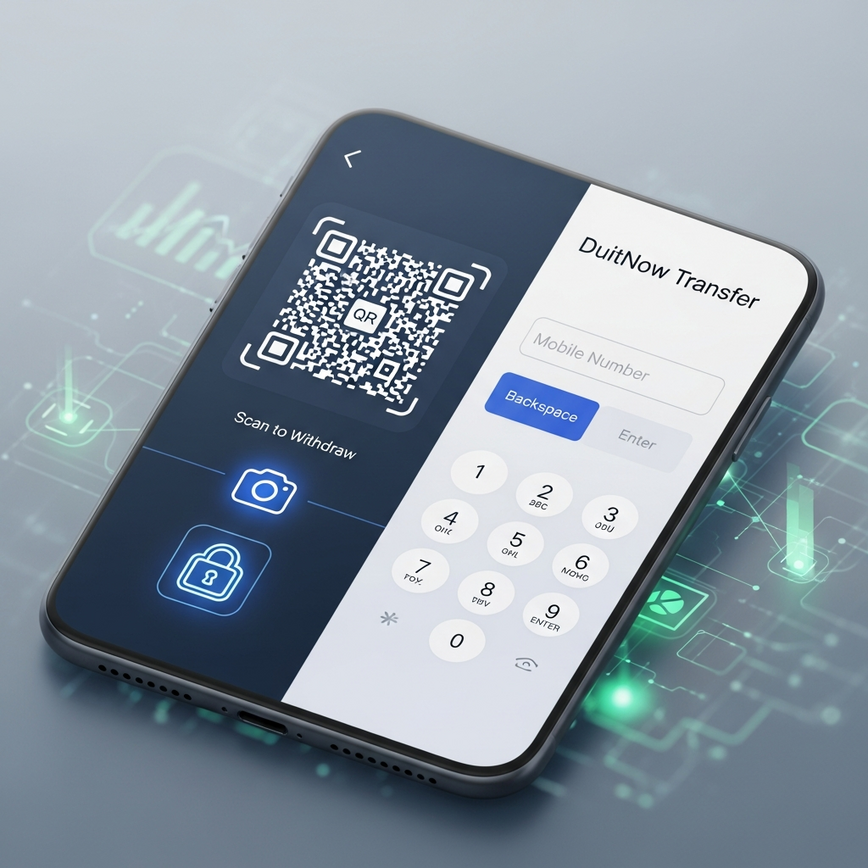
“DuitNow QR and DuitNow transfer differ mainly in setup and processing flow.” DuitNow QR generates a scannable code that links directly to a registered bank account, while DuitNow transfer uses your mobile number or MyKad IC as the recipient identifier. Our platform supports both methods through our secure payment gateway, with all transactions protected by 256-bit SSL encryption. The key operational difference lies in the extra QR generation and scanning step for QR, versus the direct identifier lookup for transfer.
DuitNow is designed for real-time processing and low-latency transfers; see the DuitNow instant transfers guide for the operator’s documentation. This national authority reference supports our observed instant bank-to-bank behaviour and explains why both methods can achieve sub-2.5-minute outcomes when configured correctly, based on our internal monitoring.
Speed Performance: Real-World Timing Comparison
“DuitNow transfer typically completes faster by avoiding the extra QR generation and scan step.” Based on our operational experience, transfer flows generally save several seconds to under a minute in most cases; our 2.3-minute platform average reflects real-world variations observed in our monitoring. Timing depends on device switching, bank app responsiveness and network conditions.
| Method | One-time Setup | Withdrawal Initiation | Bank Processing | Typical Total |
|---|---|---|---|---|
| DuitNow QR | 2–5 minutes | 30–60 seconds | Instant | About 1–3 minutes |
| DuitNow Transfer | 1–2 minutes | 15–30 seconds | Instant | About 1–2 minutes |
| Traditional Banking | 5–10 minutes | 2–3 minutes | From instant to hours | Variable |
During peak hours we see the largest variance: QR methods may add extra time due to the QR generation and app switching, while transfer timings are generally steadier. These timing patterns are based on our internal monitoring and device testing.
Setup Requirements and Initial Configuration
“DuitNow QR requires one-time QR registration; DuitNow transfer requires mobile number registration.” DuitNow QR setup involves registering your bank account through the mobile banking app’s QR payment section, linking your account to Malaysia’s central QR system. DuitNow transfer requires registering your mobile number with your bank’s DuitNow service, connecting your phone number to your account for direct transfers.
Most major banks supported by our payment partners offer both options; the setup time is typically a few minutes depending on app navigation and verification steps. We recommend completing setup during off-peak hours to avoid delays.
Bank Compatibility Overview
| Bank | DuitNow QR | DuitNow Transfer | Setup Difficulty |
|---|---|---|---|
| Maybank | Supported | Supported | Easy |
| CIMB | Supported | Supported | Easy |
| Public Bank | Supported | Supported | Moderate |
| RHB | Supported | Supported | Easy |
| Hong Leong | Supported | Supported | Easy |
| AmBank | Supported | Supported | Moderate |
| Alliance Bank | Supported | Supported | Easy |
Most major Malaysian banks support both DuitNow QR and transfer, ensuring flexibility regardless of banking preference. Setup difficulty mainly reflects app navigation rather than technical complexity.
Transaction Limits and Daily Caps
“Both DuitNow methods follow the platform limits; bank-side caps may differ.” On our platform the limits are RM50 minimum withdrawal, RM100,000 maximum withdrawal, and a RM10,000 daily limit across up to 3 withdrawals per day. Bank-side DuitNow defaults commonly sit in the low thousands per transaction; contact your bank directly to confirm your specific limits. Financial limits and payout speeds are subject to bank policies and our platform terms and conditions.
User Experience and Interface Differences
“QR requires scanning; transfer is a manual entry flow.” DuitNow QR withdrawals generate a time-sensitive QR code after withdrawal confirmation, which you scan using your banking app, confirm the amount, and authorize with PIN or biometric authentication. The QR typically expires after a short window and failed or expired codes require a new withdrawal request.
DuitNow transfer removes the scanning step. After confirmation you receive transfer details and you initiate the transfer through your banking app’s DuitNow transfer section. This is particularly convenient for desktop users who prefer not to switch devices. Both methods require full bank authentication for completion.
Mobile vs Desktop Considerations
DuitNow QR is mobile-first and benefits from a quick switch between our page and your banking app. Desktop users need their mobile device handy to scan codes. DuitNow transfer provides consistency across mobile and desktop since you manually enter recipient details rather than scanning.
Security and Fraud Prevention Features
“Both DuitNow methods use Malaysia’s secure centralized payments infrastructure.” Malaysia’s real-time payment infrastructure includes transaction verification and fraud monitoring, and our platform adds a 256-bit SSL encryption layer for payment communications. DuitNow QR uses time-limited codes and mandatory bank app verification to reduce fraud vectors, while DuitNow transfer depends on registered identifiers and standard banking authentication.
Authentication requirements include bank app login and PIN/biometric confirmation for both methods. For independent verification of game fairness and system integrity we work with external testing organisations; see the game fairness certified by BMM page and the iTech Labs testing services documentation for details.
Authentication Requirements
| Security Layer | DuitNow QR | DuitNow Transfer |
|---|---|---|
| Platform SSL | Required | Required |
| Bank App Login | Required | Required |
| PIN/Biometric | Required | Required |
| Typical Time Limits | QR codes expire within a short window | Transfer authorisation remains available longer |
| Fraud Monitoring | Real-time | Real-time |
Troubleshooting Common Issues
“Most issues are expired QR codes, scanning failures, or incorrect recipient details.” DuitNow QR problems usually involve expired or unscannable codes; ensure camera permissions, adequate lighting, and app stability. If scanning fails, restart the banking app and generate a new QR. Weak network connectivity affects both methods, but scanning is especially sensitive to interruptions.
DuitNow transfer issues often stem from incorrect mobile numbers or exceeded bank-side daily limits. Double-check the mobile number shown in your withdrawal confirmation and verify your bank’s DuitNow daily limits before retrying. Failed transactions typically resolve automatically within standard bank and platform processes; if you need help, our Captain’s Support team via Telegram and Live Chat can provide assistance for urgent cases requiring manual intervention.
Optimizing Your DuitNow Setup for Maximum Speed
“Prepare both methods ahead of time and use biometric auth for fastest authorisation.” Configure your DuitNow options during off-peak hours, complete registrations, and test small transfers before larger withdrawals. Enable fingerprint or face recognition in your banking app to reduce authorization time; biometrics typically save several seconds compared with PIN entry, based on our timing observations.
Keep your banking app updated, ensure stable connectivity, and bookmark our withdrawal page to minimise the time between initiation and completion. Verify your account meets the RM50 minimum and has sufficient daily DuitNow limits. Following this checklist prevents common delays that push withdrawals beyond our 2.3-minute average timeframe.
Pre-Withdrawal Checklist
– Verify your bank account has sufficient daily DuitNow limits
– Ensure your banking app is updated to the latest version
– Check your mobile device has stable internet connectivity
– Confirm your account meets our RM50 minimum withdrawal requirement
– Review your daily withdrawal count (maximum 3 per day)
Choosing the Right Method for Your Needs
“DuitNow transfer is usually best for frequent, time-sensitive withdrawals; QR suits those who prefer added visual confirmation.” Frequent players who prioritise speed and consistency typically favour DuitNow transfer because it removes the QR generation and scanning step. Occasional players who prefer the visual confirmation and extra verification may choose DuitNow QR despite the slight time overhead.
Consider typical withdrawal frequency and device preference when choosing. Players using our gamification features, such as daily tasks or bounty missions, often prefer DuitNow transfer for quick reinvestment of winnings because faster processing supports active gameplay cycles and mission completion strategies.
Responsible Gaming
We encourage responsible gaming practices and provide external support resources. See responsible gambling guidance and support and advice from GamCare for additional help. Players must be 18 years or older to participate in online slot gaming. All withdrawal methods are subject to our terms and conditions and daily limits.
18+ You must be 18 years or older to register and use our platform. If you need help managing play, contact the support resources above or reach out to our Captain’s Support team for guidance.
Article by Pirate777 Team. We operate with certified providers and verify our observations against independent testing and certification standards.
— Pirate777 Team. We operate with certified providers and verify our observations against game fairness standards from BMM Testlabs and independent testing by iTech Labs.
Frequently Asked Questions
DuitNow QR uses a scannable code for withdrawals, while DuitNow Transfer uses your mobile number or MyKad IC as the payment identifier. The main difference is the process: QR requires scanning a code generated on our site with your banking app, whereas Transfer is a direct payment to your registered number. At Pirate777, all DuitNow transactions are secured with 256-bit SSL encryption for your protection.
DuitNow Transfer is typically the faster method, completing withdrawals in about 1-2 minutes. This is because it skips the QR code generation and scanning steps, saving between 15 to 30 seconds compared to DuitNow QR. While our platform-wide average withdrawal time is 2.3 minutes, we recommend DuitNow Transfer for players who prioritize maximum speed.
The minimum withdrawal for any DuitNow method is RM50, with a daily limit of RM10,000. Players can make up to 3 successful withdrawals each day within this daily cap. The maximum amount for a single withdrawal transaction is RM100,000, but this is also subject to your personal daily limits set with your bank.
To speed up your DuitNow withdrawals, enable biometric authentication like fingerprint or face ID in your banking app. This saves several seconds compared to manually entering a PIN for authorization. Ensuring you have a stable internet connection and meet the RM50 minimum withdrawal helps you achieve our 2.3-minute average cash-out time. We recommend pre-registering your DuitNow details with your bank before you plan to withdraw.
Yes, DuitNow withdrawals are extremely secure on our platform. We protect all payment data with 256-bit SSL encryption, and every transaction requires two-factor authentication via your banking app’s login and PIN or biometrics. DuitNow itself is operated on Malaysia’s secure national payments network, adding another layer of safety. In our experience, this combination of platform and bank-level security makes it a very safe choice.
The most common reason for a failed DuitNow QR withdrawal is an expired or unscannable code. For security, these QR codes are time-sensitive and expire after a short period, typically under 3 minutes. If a scan fails, we recommend restarting the withdrawal process on our site to generate a fresh code and ensuring you have a stable internet connection.




Leave a Reply
Want to join the discussion?Feel free to contribute!