




ShopeePay Withdrawal from Pirate777: Where the Cash-Out Lands and How Long It Takes
A withdrawal from Pirate777 lands in the bank account registered in your own name, by DuitNow bank transfer — not in your ShopeePay wallet. E-wallet withdrawals, ShopeePay included, are temporarily unavailable as of 26 August 2026, and we update this page when that changes. So the two questions this page has always answered now have different answers. Where does the money land? In your bank. How long does it take? Our finance team’s own end-to-end timing puts the average at 2.3 minutes from approval to bank credit, held across two windows fourteen months apart — a figure that was never measured per wallet, so it was never a ShopeePay figure. What your Shopee transaction history shows is the deposit side only: every ShopeePay deposit you make (RM10 to RM5,000 per transaction, credited in 2–6 minutes with a 96.8% success rate in our records) sits there like any other ShopeePay payment; the payout never will, because it does not pass through Shopee.
On this page
- Where Does the Cash-Out Land Today?
- How Long Does It Take, and How Do We Know?
- What Will Your Shopee History Show — and Not Show?
- What Does the Withdrawal Form Actually Ask For?
- What Are the Limits, and Are Any of Them ShopeePay’s?
- What Holds or Stops a Payout?
- What This Page No Longer Claims
- Getting Unstuck
Where Does the Cash-Out Land Today?
In the bank account registered on your Pirate777 profile, by DuitNow bank transfer. That is the only destination the withdrawal form offers, whichever way you deposited. Before 26 August 2026 ShopeePay sat on the e-wallet payout roster with Touch ‘n Go and GrabPay; the closure is temporary, so this page keeps its name and its date rather than pretending either version of the flow is permanent.
The deposit side is untouched. ShopeePay remains a deposit route: you approve the payment with your ShopeePay PIN or biometrics inside the Shopee app, RM10 to RM5,000 per transaction, and only the confirmation reaches us. In our own operational records for February 2025 to January 2026 a ShopeePay deposit credited in 2–6 minutes with a 96.8% success rate — the slowest of the four routes we hold records for, with the lowest success rate, behind DuitNow QR (30–60 seconds, 99.2%), Touch ‘n Go (1–3 minutes, 98.8%) and GrabPay (2–4 minutes, 97.5%). Still a perfectly usable route, but if the wallet you top up is a matter of choice, the four-route speed test is where that choice belongs. The ShopeePay deposit tutorial has the screens and the six ways a ShopeePay payment goes wrong.
| Deposit with ShopeePay | Withdrawal today | |
|---|---|---|
| Where it lands | Your Pirate777 wallet, from your ShopeePay balance | Your registered bank account, from your Pirate777 wallet, by DuitNow bank transfer |
| Appears in your Shopee history? | Yes — as a ShopeePay payment with its timestamp and amount | No — it does not pass through Shopee |
| Per transaction | RM10 – RM5,000 | RM50 – RM100,000 |
| Per day | Not a figure we publish | RM10,000 across three withdrawals at the entry rank, rising with rank |
| How long (our own records) | 2–6 minutes, 96.8% success, February 2025 to January 2026 | 2.3-minute average from approval to bank credit, two windows fourteen months apart |
| Fee | None — one coin per ringgit | None — Pirate777 absorbs the processing cost |
Payment methods, limits and the withdrawal status last verified 27 August 2026. We update this page when they change.
How Long Does It Take, and How Do We Know?
2.3 minutes on average, from the moment the withdrawal is approved to the moment the receiving bank credits it. The figure is our finance team’s own internal monitoring — one-hour sessions on randomly chosen days and times across the whole week, every withdrawal inside a sampled hour timed — replicated in two windows fourteen months apart, February 2025 to January 2026 and March to April 2026, with the same result. It is operational monitoring, not a controlled study, and it is an average, not a median: the earlier version of this page called it both, and it was never the second.
Three boundaries matter for a ShopeePay player. The clock stops at bank credit, not at the moment your banking app displays the money, which varies by bank. The measured population was bank payouts and the e-wallet payouts then offered, taken together and never split by wallet — there is no ShopeePay withdrawal time, and there never was one to quote. And it excludes Interbank GIRO (IBG) transfers, which clear in scheduled windows. For scale, our own timed testing of 98 Malaysian competitor platforms (173 withdrawals, most platforms tested once, so indicative only) put larger brands at roughly 15 minutes, mid-sized platforms at 20–30 and smaller operators at around 45; the speed test has the full method and the rail mechanics page explains why the DuitNow rail is not the slow part. Weekends and public holidays are inside the average, because the sessions were spread across all seven days.
What Will Your Shopee History Show — and Not Show?
This was always the part of the ShopeePay story that other wallet guides skip, and it is still true on the deposit side. Every deposit you make from ShopeePay is a ShopeePay payment like any other, so it sits in the Shopee app’s transaction history with its timestamp and amount, next to your shopping and ShopeeFood orders. Scroll back a year and every Pirate777 deposit is still there. That is a ready-made ledger of what you have put in — no spreadsheet, nothing to track on our side — and it is the most useful thing ShopeePay does for a slots player: the wallet comparison makes the same point about GrabPay’s history.
What it will not show is the money coming back. A withdrawal is a DuitNow bank transfer into your bank account, so it appears in your banking app’s statement, not in Shopee. The earlier version of this page described a “clean per-month summary” of deposits out and withdrawals in, readable from Shopee alone; today the deposits are in Shopee and the withdrawals are in your bank statement, and an honest monthly picture needs both. If you would rather not have gaming deposits visible inside a shopping app, that is a reason to deposit by DuitNow QR from your bank app instead — it credits fastest in our records anyway.
What Does the Withdrawal Form Actually Ask For?
Three things, and no method chooser. The earlier version of this page had you “pick ShopeePay from the methods list (DuitNow, Touch n Go, GrabPay, ShopeePay, FPX, online banking)”. There is no such list: FPX and online banking are ways to pay, not ways to be paid, and there is one withdrawal flow. The form asks for the bank you are withdrawing to, chosen from the accounts already registered on your profile; the account number; and the amount, with four quick-select buttons above the field — Rm50, Rm100, Rm1000 and MAX — and the limit lines printed below it. It does not ask for a wallet, a mobile number or a QR code.
- Register a bank account in your exact legal name — the name on your MyKad, identical to your Pirate777 profile. If the dropdown shows only “please select”, nothing is registered yet: follow the in-app prompt or ask Captain’s Support.
- Expect an identity check before your first payout, handled by our support team. Every later withdrawal runs normally. There is no “test withdrawal” to clear a path with — the check happens on whichever withdrawal is your first, whatever its size.
- Open Wallet, choose Withdraw, fill the three fields, press NEXT, and read the confirmation step that summarises the bank, the number and the amount.
- The name check runs on the rail. Before any money moves, DuitNow returns the registered account holder’s name for the number you gave; it must match your profile, and a mismatch stops the payment rather than delaying it. You correct the details and resubmit.
- There is no withdrawal status screen in the app; the fastest confirmation is your own bank balance, since routine payouts land within minutes. If nothing has arrived within an hour, contact 24/7 Captain’s Support from the bottom nav.
The step-by-step withdrawal guide walks the form screen by screen. If you deposited with GrabPay instead, the GrabPay page says the same thing for the same reason.
What Are the Limits, and Are Any of Them ShopeePay’s?
None of them. The limits the form prints are the entry-rank values — RM50 minimum, RM100,000 per transaction, RM10,000 a day across three withdrawals — and they belong to your rank (Civilian, rank 0 of 30), read from the platform’s own rank data on 20 August 2026 and unchanged on 26 August. The RM5,000 cap you meet on the way in is a ShopeePay deposit cap; the ShopeePay wallet’s own balance limit, which the earlier version told you to check before a large cash-out, cannot touch a payout that goes to a bank. There is no ShopeePay ceiling on the way out, because ShopeePay is not on the way out.
| Rank | Withdrawals a day | Daily withdrawal cap |
|---|---|---|
| Civilian (entry rank) | 3 | RM10,000 |
| Sailor | 4 | RM16,000 |
| Second Mate | 4 | RM62,500 |
| King Of The Seas (top rank) | 8 | RM300,000 |
The RM50 minimum and the RM100,000 per-transaction ceiling hold at every rank. The daily cap is a total across the day’s withdrawals, not a per-withdrawal figure, so three withdrawals that add up to RM10,000 fit inside the entry-rank cap and a fourth does not. The limits page carries all 30 ranks; your own current and next rank are on the Wallet screen.

What Holds or Stops a Payout?
Every cause below is visible on the form, in your profile or in your Bonuses tab before you press NEXT. None of them is on ShopeePay’s side, because the payout never reaches ShopeePay.
- A bonus with a turnover condition still unmet. The first-deposit bonus (deposit RM30, receive RM30 plus 30 XP) carries a RM180 minimum and a RM300 maximum on withdrawing it, and Mega888 is not eligible for it; the platform’s wider rule is that play on MEGA888 and 918KISS games does not count toward promotional turnover or rebate. Meet the terms, then submit. The telco-PIN 5% bonus has no turnover requirement, and the daily, weekly and monthly tasks reward rolling rather than holding payouts — the monthly task requires a withdrawal.
- The registered name does not match. DuitNow returns the account holder’s registered name before any money moves; “Mohd” against “Mohammed” stops the payment until the details are corrected. This is a bank-account name, not the name inside your Shopee app.
- No bank is registered, so the dropdown shows only “please select”. Add the account through the in-app prompt or Captain’s Support.
- The available amount is short — below RM50 or below what you typed, usually because unsettled bets are holding part of the balance.
- The daily count or cap is used up (3/3, or less than RM50 of allowance left). The request waits for the next day or the next rank; Cadet adds RM500 a day.
- Your own bank’s maintenance window, during which no incoming DuitNow credit posts until the bank is back. This and the identity check on a first payout are the two delays we can name; a withdrawal still pending well beyond the average with neither in play is traced on the banking side by Captain’s Support from the request reference in your transaction history.
What This Page No Longer Claims
The earlier version of this page described a withdrawal-to-ShopeePay flow in detail, and most of the detail was invented. For a reader who saw that version, here is what went and why.
- A six-method withdrawal list including FPX and online banking. The form has no method chooser; FPX and online banking are pay-in routes, not payout routes.
- “2.3 minutes from submission to funds in your ShopeePay”, described as both an average and “the median of our queue”. The figure runs from approval to bank credit, is an average, and was never measured per wallet.
- A four-step pipeline — source-balance check, identity match, gateway routing, ShopeePay settlement “up to a minute” — with “faster cases under a minute, slower ones 5–10 minutes”. None of it was observed; the records give one average and a window, not a distribution.
- A 5–15-minute “manual review” on first withdrawals and ShopeePay “slow patches”. The first payout carries an identity check with no duration we can state; nothing on the payout passes through ShopeePay.
- The ShopeePay wallet ceiling “set by your verification tier inside Shopee” as a limit on your cash-out, and a Shopee-app menu path for fixing your registered name. Irrelevant to a bank payout, and the second was never verified.
- “Do a small test withdrawal first.” There is no path to clear; the identity check runs on whichever withdrawal comes first.
- “We can see exactly where in the queue it is.” What support can do is trace a request on the banking side from its reference.
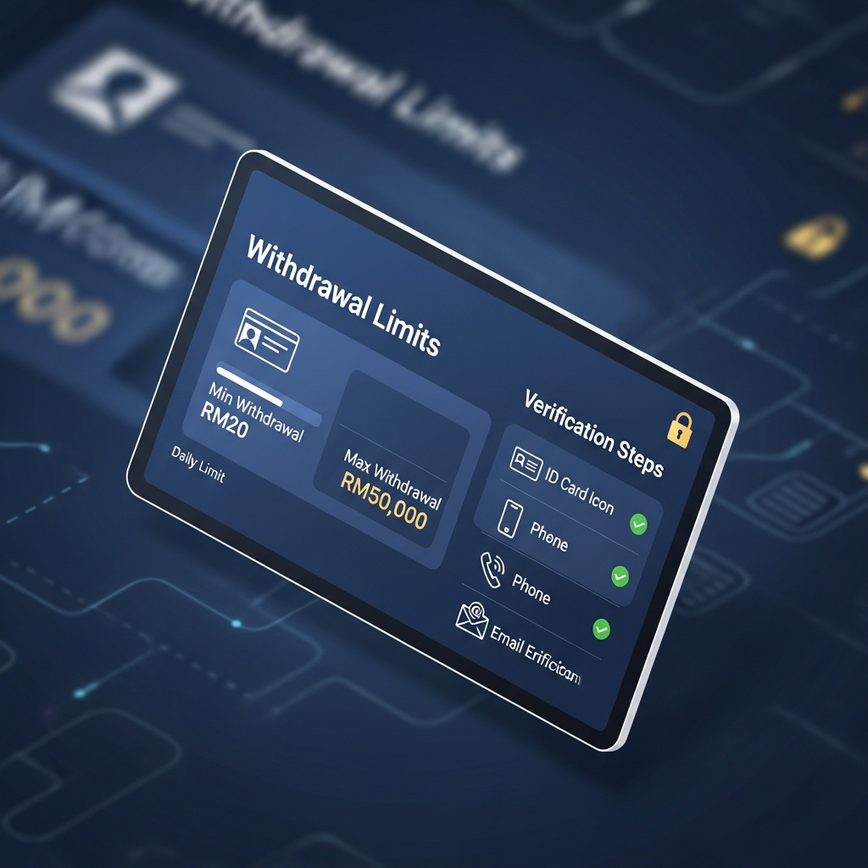
The two illustrations are generic mock-ups kept from that version. The first draws limits and verification steps that are not ours; the second draws an “instant” link between ShopeePay and a casino that a withdrawal does not use today.
Getting Unstuck
For a withdrawal pending well past the average, a payment stopped for a reason you cannot see, or a balance that does not add up, message Captain’s Support on Telegram or the live chat inside your account with the withdrawal request reference from your transaction history and your Pirate777 username. A ShopeePay payment that left your wallet but never reached your Pirate777 balance is the other direction and the other problem: send the transaction ID from the Shopee receipt, and it is matched to your account by hand.
Important: Pirate777 is for users aged 18 and above. Please play responsibly and only gamble with money you can afford to lose. Deposit limits, cooling-off breaks and self-exclusion on Pirate777 are arranged through Captain’s Support — one message sets the control on your account — and we point players to independent resources, including support and advice from GamCare and responsible gambling guidance from BeGambleAware.
— Pirate777 Team. The withdrawal limits on this page are read from the platform’s own rank data; the 2.3-minute figure is our finance team’s own end-to-end timing in two windows fourteen months apart; the ShopeePay deposit figures are our operational records for February 2025 to January 2026. We describe ShopeePay only as a player sees it in the Shopee app and do not describe Shopee’s internal systems, because we cannot verify them. The withdrawal status is dated in the text and updated when it changes.
Frequently Asked Questions
Not at the moment. Withdrawals are currently paid by DuitNow bank transfer to the bank account registered in your own name; e-wallet withdrawals, ShopeePay included, are temporarily unavailable (as of 26 August 2026), and we update this page when that changes. Depositing with ShopeePay is unaffected.
2.3 minutes on average from approval to bank credit — our finance team’s own timing in one-hour sessions on randomly chosen days, replicated in two windows fourteen months apart. It was never measured per wallet, so there is no ShopeePay-specific time. The first withdrawal on an account carries an identity check and runs longer; every later one runs normally.
No. A withdrawal is a DuitNow bank transfer into your bank account, so it appears in your banking app, not in Shopee. Your ShopeePay deposits do appear in Shopee history, with their timestamps and amounts, which makes the Shopee app a ready-made record of what you have put in.
RM50 minimum and RM100,000 per transaction at every rank; a daily cap and count set by your rank, starting at RM10,000 across three withdrawals at the entry rank and rising to RM300,000 across eight at the top. None of these is a ShopeePay limit, and the ShopeePay wallet’s own balance ceiling does not apply to a payout that goes to your bank.
No. Pirate777 charges no fee on any deposit or withdrawal and absorbs the processing cost in both directions; a withdrawal reaches your bank account in full, and a ShopeePay deposit credits one coin per ringgit.
Yes. DuitNow transfers settle in real time on every day of the week, and the 2.3-minute average was measured in sessions spread across all seven days, weekends included. The one thing that can delay a weekend payout is your own bank’s scheduled maintenance window.
Almost always something you can see before submitting: a bonus with an unmet turnover condition, a bank account name that does not match your profile exactly (a mismatch stops the payment), no bank registered, an available amount below RM50 or below what you typed, or the day’s count or cap already used. Otherwise it is the identity check on a first payout or your bank’s maintenance window. Send the request reference to Captain’s Support and it is traced on the banking side.