



How to Register a Pirate777 Account: Step-by-Step Sign-Up Guide for Malaysian Slot Players
Registering a Pirate777 account takes less than two minutes and only requires a Malaysian mobile number, a 6–12 character password, and a one-time verification code. Sign up at the Pirate777 register page, enter your mobile number, set a password, solve the captcha, confirm the OTP we send to your phone, and you land straight in the home lobby with access to 2,500+ games across 15+ providers — all on a single wallet, with an average withdrawal time of 2.3 minutes in our own operational records. No ID document, email address or app download is needed to register; identity is checked at your first withdrawal.
Table of Contents
Why Create a Pirate777 Account?
Our single-wallet, slots-only platform is built around one simple idea: every minute you spend signed in should feel like a payoff. A Pirate777 account unlocks the full library of 2,500+ games from 15+ providers — Mega888, 918Kiss, Pragmatic Play, PG Soft, Playtech, Jili, and more — through one balance that moves with you across every provider. No manual transfers, no juggling separate logins for most providers, no waiting on slow withdrawals.
Beyond the games, an account activates the gamification layer our platform is designed around: Daily, Weekly, and Monthly tasks that drop gold coins and XP into your balance; Bounty missions with timed profit targets; Growth Quests that reward first-time actions; Team Play, the recruitment feature that shares rewards with the comrades you recruit; and a 30-rank ladder that lifts your rebate percentage and daily withdrawal limit as you level up (the number of withdrawals per day rises too, from rank 3). None of it costs anything to join — you only need a mobile number.
What Do You Need Before You Start?
Registration is deliberately minimal, so you can be playing within a couple of minutes. Here is everything we ask for up-front:
| What You Need | Why | Notes |
|---|---|---|
| Malaysian mobile number | Receive the one-time password (OTP) that verifies your identity | +60 is auto-detected. +65 and +886 are also available. |
| A 6–12 character password | Protects your account and coin balance | Alphanumeric only — no special symbols. Case-insensitive. |
| A device with a browser | Our platform is browser-first and mobile-optimised | No APK or app store download required. |
| Referral code (optional) | Link your account to a friend’s referral rewards | Leave blank if you weren’t invited. |
You do not need to upload an ID, proof of address, or a bank statement to register. Bank details are requested later, only when you are ready to set up your first withdrawal — we cover that flow separately in our 2.3-minute withdrawal guide.
Step-by-Step Pirate777 Registration
The entire flow is seven short screens. We captured each one on a fresh mobile browser so you can follow along frame-by-frame.
Step 1: Open the Pirate777 Register Page
Tap our register page or the REGISTER button in the top-right of our homepage. The form loads inside our mobile-first slot app (no app store install — it runs straight in your browser).
Step 2: Switch Language to English (Optional)
Our register page defaults to Bahasa Malaysia. If you prefer English, tap the round BM toggle in the top-right corner, then select EN from the dropdown. The form labels, help text, and buttons refresh instantly. You can also choose CN for Simplified Chinese.
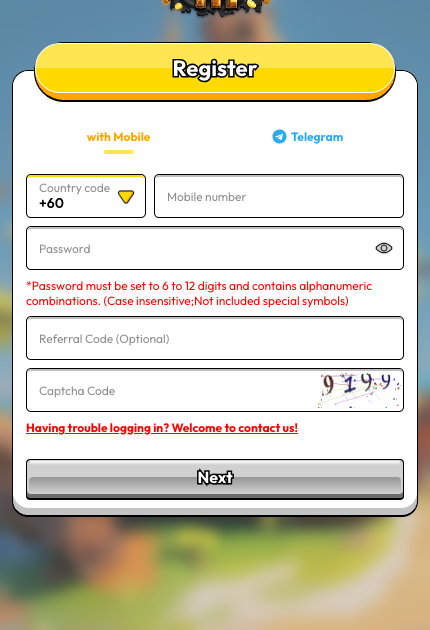
Step 3: Enter Your Mobile Number
The country code defaults to +60 (Malaysia). Then enter your mobile number without the leading zero — for example, if your number is 011-2345 6789, type 1123456789.
Step 4: Create a Password
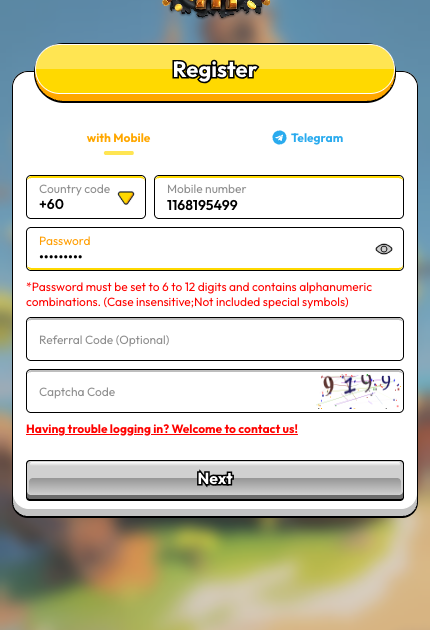
Choose a password that is 6 to 12 characters long and contains only letters and numbers — no special symbols (@, !, #, etc.). Passwords are case-insensitive, which means Pirate123 and pirate123 are treated identically. Tap the eye icon to reveal what you typed if you want to double-check before you submit.
Step 5: Enter the Captcha Code
A 4-character captcha appears near the bottom of the form. Read the letters and numbers carefully — the characters can be colour-stylised or slightly rotated — and type them into the Captcha Code field. If the characters are hard to read, tap the captcha image to refresh it with a new one.
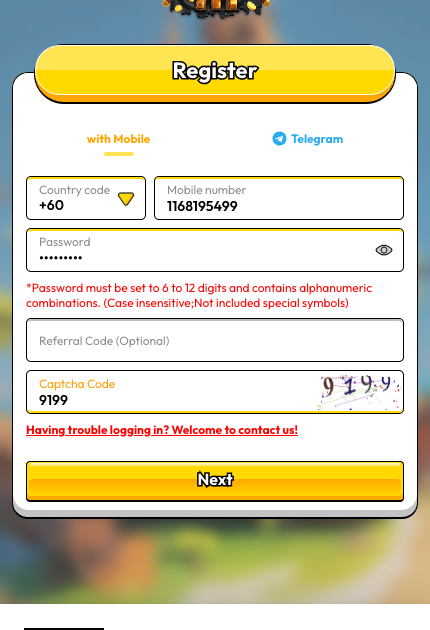
The referral code field stays optional. Leave it blank if no one invited you — or enter a crewmate’s code to link your account to their referral rewards.
Step 6: Verify with the OTP Sent to Your Phone
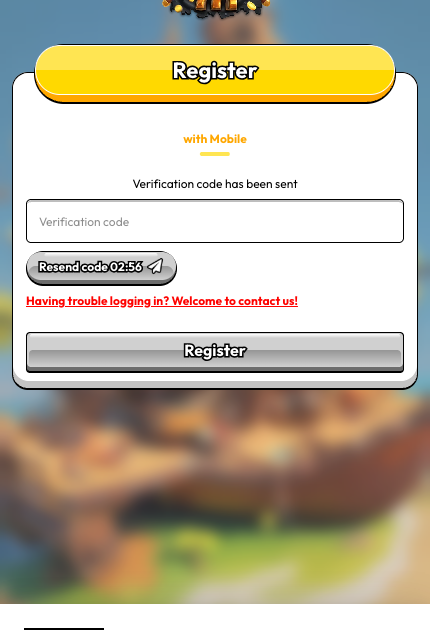
Tap Next. Within a few seconds, you will receive a verification code by SMS. Enter it into the Verification code field. The resend timer counts down from three minutes; if the code does not arrive, wait for the timer to expire and tap Resend code.
Step 7: You’re In — Welcome Aboard
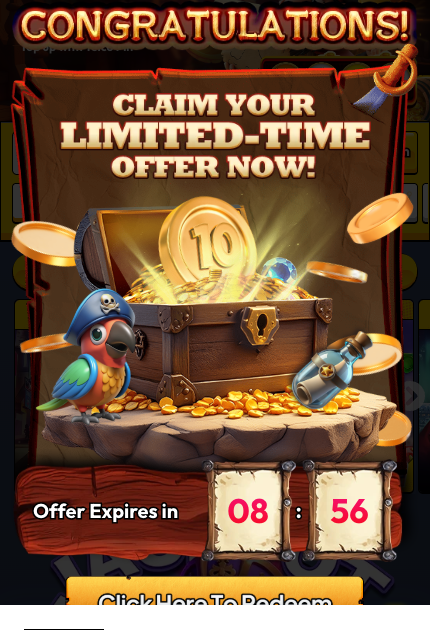
Once the OTP is accepted, you land directly on our home game lobby with a fresh Lv.1 rank, an empty coin balance, and the limited-time welcome offer we surface for every new captain — the Free RM30 for First Deposit deal: deposit RM30, receive RM30 bonus plus 30 XP, with an RM180 minimum and RM300 maximum withdrawal on that bonus and Mega888 play excluded from it. You can tap the offer to explore it, or dismiss it and head straight for the games.
What Happens After You Register?
New accounts are greeted with a small Growth Quest panel that walks you through the first few actions that earn real in-platform rewards. The first quest — Register Gift — auto-completes the moment you finish sign-up and pays 100 XP — half of the 200 XP that lifts you from Civilian to Cadet. The remaining quests nudge you toward the actions that unlock the rest of the platform: completing your bank account details (20 XP, so your first withdrawal is ready to go), placing your first deposit (80 XP) and placing your first bet (10 XP); complete all four and the panel pays 10 coins, which is RM10 you can withdraw. Figures read in the app on 26 August 2026.
You will also see your rank card at the top of the Wallet page. Every new account starts at Civilian (Lv.1, rank 0 of 30). As you play and complete tasks, you gain XP and promote to Cadet at 200 XP and onward — each rank lifts your rebate percentage and your daily withdrawal limit (Civilian RM10,000 a day, Cadet RM10,500), and the number of withdrawals you can make per day rises from 3 at rank 3. The Register Gift, bank-details and first-deposit quests together pay exactly 200 XP, so most players reach Cadet at their first deposit, before their first bet; we cover the full 30-rank ladder in our player guide.
The bottom navigation bar gives you five quick destinations:
- Task — Daily, Weekly, and Monthly missions (complete them for coins and XP)
- Challenge — Growth Quests, Recruit Comrades, and Deposit Streak rewards
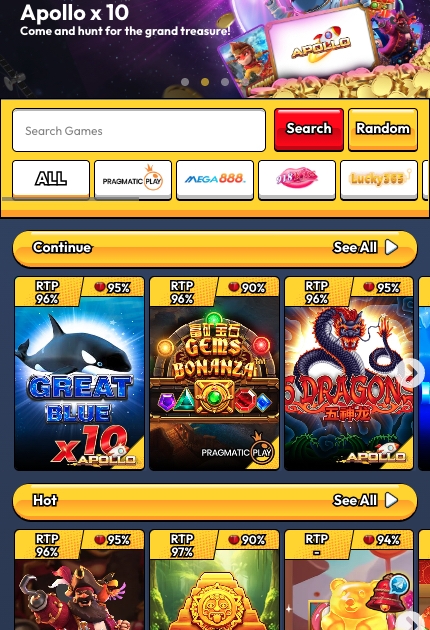
- Home — the game lobby with providers, search, jackpot counter, and recommended titles
- Wallet — deposits, withdrawals, rank benefits, rebate, and betting history
- Support — 24/7 Captain’s Support via live chat and Telegram
How Do You Log In on Future Visits?
Our login page is separate from the register page. To sign back in, tap LOGIN from the homepage header, or go directly to the Pirate777 login page. You can switch between three login methods using the tabs at the top of the form:
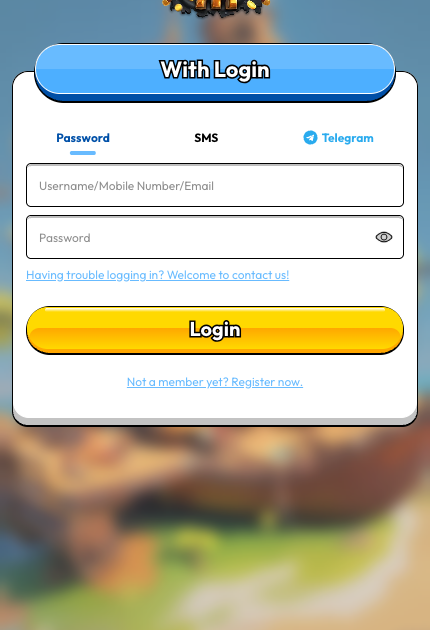
- Password — enter your mobile number (or the username you registered with) plus the password you set. This is the fastest option for regular players.
- SMS — enter your mobile number, tap send, and log in with a fresh OTP. Ideal if you have temporarily forgotten your password.
- Telegram — link your Telegram account once, then sign in with a one-tap Telegram confirmation on future visits.
After you tap Login, you land straight back on the home lobby with your level, balance, and active quests intact.
What If Registration Goes Wrong?
Most registrations complete without incident, but here are the situations new players most often hit — and how to fix each one quickly.
| Issue | Likely Cause | What to Do |
|---|---|---|
| OTP never arrives | Carrier delay or blocked SMS | Wait for the 3-minute timer, tap Resend code. If still nothing, contact 24/7 Captain’s Support. |
| “Captcha incorrect” error | Misread character (0 vs O, 1 vs I) | Tap the captcha image to refresh, look closely, and retype. Captcha is case-insensitive. |
| Password rejected | Contains a special symbol, or wrong length | Use only letters and numbers, keep it between 6 and 12 characters. |
| “Mobile already registered” | The number is linked to an existing account | Use the login page with that number instead, or contact support to recover access. |
| Page stuck on Bahasa Malaysia | Browser cached the BM version | Tap the BM toggle in the top-right and select EN from the language dropdown. |
If anything else blocks your sign-up, our 24/7 Captain’s Support team is reachable via the Support tab in the app, via live chat on the marketing site, and via Telegram. We aim to resolve registration tickets inside a single support session.
Safety, Privacy, and Responsible Play
Every transaction on our platform runs over 256-bit SSL encryption — the same standard used by Bank Negara Malaysia-compliant payment systems. Your mobile number and password are stored using industry-standard password hashing; we never see your raw password after you submit it. Game fairness is a studio-level record, so we name the studio rather than claim it for the whole library: Playtech, Pragmatic Play and Games Global (Microgaming) hold UK Gambling Commission licences you can look up on the public register, PG Soft is licensed by the Malta Gaming Authority (MGA/B2B/435/2017), Jili and PlayStar appear on PAGCOR’s accredited-supplier lists (May 2026), and Fa Chai holds GLI certificate 573. Those records cover the studios’ random number generators and game outcomes, not our platform operations, which we manage in-house.
We also point players to responsible gaming organisations including GamCare and BeGambleAware. If you want to set deposit limits, take a cool-off period, or self-exclude, contact our Captain’s Support team — we set those up on your account directly rather than hiding them behind a self-service menu. Public guidance is available from support and advice from GamCare and responsible gambling guidance from BeGambleAware. Pirate777 is designed for players aged 18 and above. Only ever play with money you can afford to lose.
Ready to Set Sail?
Registration is the on-ramp to everything our platform is built around: 2,500+ games on a single wallet, 24/7 Captain’s Support via live chat and Telegram, daily and weekly missions that pay out real rewards, and a rank system that keeps compounding your rebate every time you level up. Create your account once, and every future session starts with a single tap of the login button.
— Pirate777 Team. We verify our observations against each studio’s own published game data and, where a studio holds one, its licence record on the regulator’s public register.
Frequently Asked Questions
Registering a Pirate777 account takes under two minutes end to end. You enter your mobile number, set a 6–12 character password, solve a 4-character captcha, and confirm the OTP we send to your phone. Once verified, you land on the home game lobby with immediate access to 2,500+ games across 15+ providers.
You only need a Malaysian mobile number (Singapore +65 and Taiwan +886 are also supported) and a 6–12 character alphanumeric password. No ID upload, no proof of address, and no bank statement is required at sign-up. Bank account details are requested later, only when you set up your first withdrawal.
No APK or app store download is required. Our platform is browser-first and mobile-optimised, so registration and play happen directly in your phone or desktop browser. The one provider with no browser version is Mega888, which needs its own app (Android, iOS and Windows builds) once your Pirate777 account is active; 918Kiss you can play either way, in its H5 browser version or its app.
Carrier delays occasionally slow SMS delivery. Wait for the three-minute resend timer to expire, then tap Resend code. If the code still does not arrive, reach out to our 24/7 Captain’s Support via live chat or Telegram — the team can confirm whether the SMS was dispatched and help you complete sign-up without losing your spot in the flow.
Yes. Once you are signed in, you can update your password from the profile menu. If you have forgotten your password entirely, use the SMS login tab to sign back in with a fresh OTP and reset it from within your account. Captain’s Support can also reset your credentials if you cannot access your registered number.
Yes — creating an account is completely free and does not require a deposit. You only fund your balance when you decide to play for real rewards. Our minimum deposit is RM10 by DuitNow QR, FPX or a telco reload PIN, and RM30 by Touch ’n Go, GrabPay or ShopeePay or a manual bank transfer (cashier read, 4 September 2026), so you can keep entry costs low while you explore the 2,500+ game library.
Open the Pirate777 login page (or tap LOGIN from the homepage), choose the Password, SMS, or Telegram tab, and enter your mobile number and password (or request an OTP). Once authenticated, you return to the home lobby with your level, balance, and progress intact.