



Performance Audit: Maximizing Frame Rates and Battery Life for Browser Slots in Malaysia
Every studio on Pirate777 except Mega888 runs in a mobile browser with nothing to install, so a steady 60 frames per second and a full session on one charge come down to four things you control: hardware acceleration, free memory, screen brightness and how many apps are running behind the game. This page is the settings guide for that, browser by browser and device by device, plus the one thing most guides get wrong: 918Kiss is not app-only. It ships an HTML5 build you can play in the browser as well as Android and iOS apps, and Mega888 is the single studio with no browser route at all. Platform figures below carry their read dates.
Table of Contents
- What actually decides how a browser slot runs on your phone?
- Which browser settings should you change first?
- What can you change on the phone itself?
- How do you get a stable connection on Malaysian mobile data?
- Why does Firefox on Android drain more battery?
- How do you find what is causing a performance problem?
- How do you make a battery last a whole session?
- Which games need a download, and which run in the browser?
- Is playing in the browser safe, and does security cost you frames?
- Does inviting friends to play together affect performance?
- What hardware is worth upgrading for browser slots?
- How do you keep it fast, and what if it is still slow?
What actually decides how a browser slot runs on your phone?
Four things decide how a browser slot feels on a phone, and all four are yours to change. Frame rate consistency is what makes a spin look smooth rather than stuttery. Free memory is what stops the browser reloading the game halfway through a session. Battery drain decides how long you can play on one charge. Connection stability decides whether a bonus round stalls at the moment it matters.
What is not in your hands is the game itself, and that is deliberate. Titles are the studios’ own builds, running in your browser exactly as they run anywhere else. Our side of it is the platform: one wallet across every studio, 256-bit SSL encryption on transactions and personal data, and 24/7 Captain’s Support on Telegram and in-app Live Chat.
Do you need to download anything to play?
No, with one exception. Of the 17 studios on our 5 August 2026 library read, 16 run in the mobile browser with nothing to install. Mega888 is the only one with no browser build, so it runs from its own app. 918Kiss gives you the choice: an HTML5 browser build, or its Android and iOS apps. Both of those two ship iOS builds for iPhone 5s and newer, which is worth saying because a lot of Malaysian guides claim iPhone users are locked out. They are not.
Which platforms let you play slots without downloading an app in Malaysia?
The honest answer for any platform is: check whether the studios it carries are browser builds, because the platform does not decide it, the studio does. On Pirate777 that is 16 of 17. There is nothing to install, nothing to update, and no app-store wait between a new title going live and you playing it. Browser versus APK sets the two routes side by side, and the zero-storage guide covers playing when the phone is full.
Which browser settings should you change first?
Essential Chrome settings on Android
Three changes do most of the work, and you make them once.
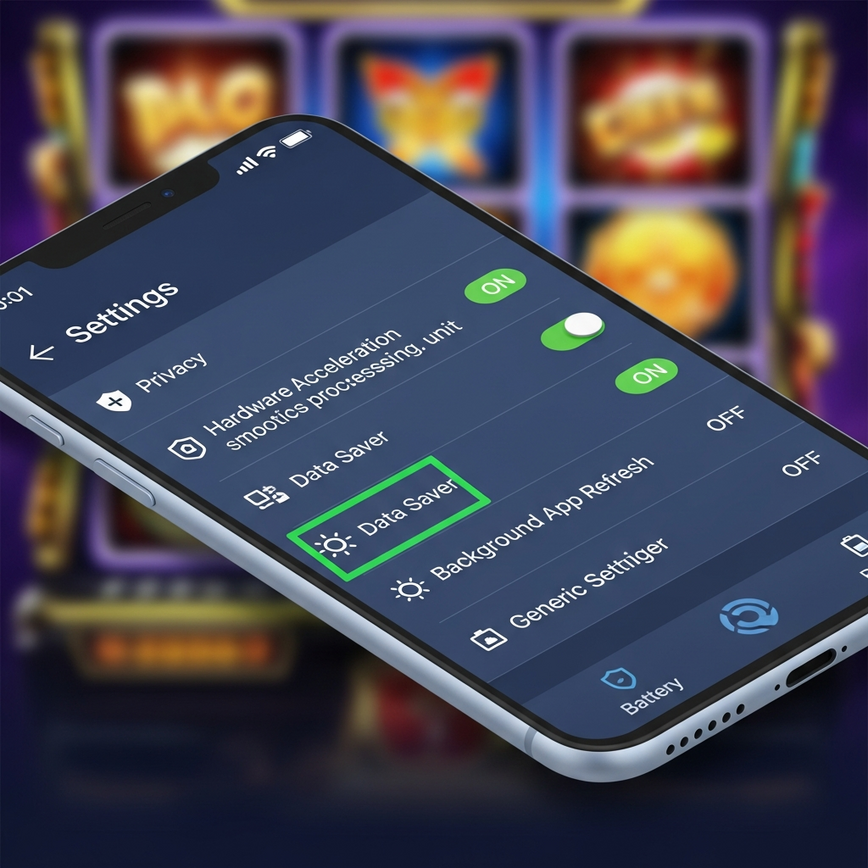
- Hardware acceleration: Settings > Advanced > System, turn on “Use hardware acceleration when available”. This hands rendering to the phone’s graphics chip instead of the processor, which is the single biggest frame-rate change available to you.
- Data Saver: Settings > Data Saver > Enable. Compression cuts bandwidth with little visible difference on slot graphics.
- Cache: Settings > Privacy and Security > Clear Browsing Data, tick “Cached images and files”, once a week. Stale cache is the most common cause of a game that loads slowly or not at all.
Safari settings on iPhone
Leave JavaScript enabled under Settings > Safari > Advanced, or games will not animate correctly. Then turn off Settings > General > Background App Refresh, which stops other apps taking processor time and battery while you play. Those two cover most of what Safari lets you change; iOS handles the rest itself.
A note on browser choice: rather than ranking browsers, which depends on your exact phone and version, set whichever browser you already use correctly. A configured Firefox beats an unconfigured Chrome. The settings above matter more than the badge.
What can you change on the phone itself?
Android
Developer Options give you two useful levers. “Force GPU rendering” pushes more drawing onto the graphics chip, and dropping animation scale to 0.5x, or off, makes the whole interface feel faster because the system spends less time on transitions. Beyond that: turn off location for apps that do not need it, set brightness to 70–80%, and leave Adaptive Battery on.
iPhone
Settings > Accessibility > Motion > Reduce Motion steadies frame rates by cutting system animations that compete for the same resources. Close apps you are not using before a session and pause automatic downloads. Both free memory, and memory is what a browser game runs out of first.
How do you get a stable connection on Malaysian mobile data?
Carrier settings
Enable 4G+ or LTE-A where your carrier offers it. If coverage where you play flips between 4G and 3G, lock the phone to 4G only, because the handover itself is what causes the stall. Setting DNS to 8.8.8.8 and 8.8.4.4 speeds up the first connection to a game. Pause app auto-updates before you start.
How much mobile data does an hour of play use?
Less than most people expect, because a slot is mostly a one-off asset download and then small messages. The practical move is to open each game once on WiFi so the browser caches it; after that, mobile data carries very little. Set a data alert at 80% of your monthly allowance so a long session never surprises you.
Why does Firefox on Android drain more battery?
Firefox on Android tends to use more battery than Chrome or Safari because it handles tracking protection and background work differently. Four changes close most of the gap:
- Turn off background sync for features you do not use.
- Turn on Enhanced Tracking Protection, which blocks the resource-heavy trackers that quietly drain the battery.
- Set media autoplay to “Block audio and video” — slot audio is handled inside the game, so nothing is lost.
- Set content blocking to Strict under Settings > Enhanced Tracking Protection.
Also set Firefox to clear its cache on exit, which prevents the slow memory build-up that shows up as stuttering after an hour or two.
How do you find what is causing a performance problem?
What to watch
Three numbers tell you where a problem is. Keep processor temperature under about 45°C, because above that the phone throttles itself and frame rates fall no matter what the browser does. Keep at least 1 GB of memory free. Watch battery temperature if you play while charging. Frame rate itself can be read with built-in developer tools or a third-party overlay.
How do you tell whether it is the game, the phone or the network?
By what changes when you switch. If the same game stutters on WiFi and on mobile data, it is the phone or the browser. If it is smooth on WiFi and not on data, it is the connection. If one title struggles and everything else is fine, it is that title’s assets, and clearing the cache usually fixes it.
| Symptom | Most likely cause | What to do |
|---|---|---|
| Stuttering gameplay | Not enough free memory | Close background apps; check hardware acceleration is on |
| Battery dropping fast | Screen brightness and background processes | Brightness to 70–80%; turn off Background App Refresh |
| Slow loading | Connection, or an uncached game | Switch to WiFi or 4G+; open the game once on WiFi |
| Game crashes mid-session | Stale or corrupt browser cache | Clear cache and cookies, then reload |
| Game will not open at all | Studio maintenance, or an app-only studio | Try another studio; Mega888 needs its app |
How do you make a battery last a whole session?
Screen and radios
The screen is the biggest single drain. Use dark mode where a game or browser offers it, drop screen timeout to 30 seconds, and leave adaptive brightness on. Then turn off what is running for nothing: Bluetooth when nothing is paired, WiFi scanning in advanced settings, and cellular radios entirely (airplane mode with WiFi on) when you are on a stable home connection.
Charging while you play
Use the original charger, and avoid playing during fast charging — the heat from both at once is what makes the phone throttle. Keeping the battery between 20% and 80% is better for it long term.
Which games need a download, and which run in the browser?
This is the part most performance guides get wrong, so here it is plainly. Of the 17 studios on our 5 August 2026 library read, all but one run in your browser. Mega888 is the single exception.
| Studios | How you play | Counts toward promotional rolling and rebates |
|---|---|---|
| Pragmatic Play, Playtech, PG Soft, Jili, Fa Chai, YGR, V-Power, Apollo, Apollo x10, PlayStar, Lucky365, Monkey King, Cosmo Play, ACE333, Microgaming | In the mobile browser, nothing to install | Yes |
| 918Kiss | Either way — an HTML5 build in the browser, or its Android and iOS apps | No |
| Mega888 | Its own Android, iOS or Windows app only; no browser build exists | No |
Both app studios ship iOS builds for iPhone 5s and newer, and both take their sign-in from Captain’s Support rather than your website login, while spending from the same Pirate777 wallet. Take any build from our own download page, which is the only link we serve.
Browser vs the app: which should you choose?
For 15 of the 17 studios there is no choice to make, and for 918Kiss the browser build saves you an install and an update cycle while playing the same games. The one thing worth knowing before you decide: bets placed on Mega888 and 918Kiss do not count toward promotional rolling or the rebate, and their game halls sit outside bounty events. If you are working through the daily tasks, play the browser studios.
General settings that help on any title: hardware acceleration on, at least 2 GB of memory free for the heavier releases, and a cache clear when you switch between long sessions. Bets start from RM0.10 a spin on most studios and RM0.20 on Playtech (lobby read 8 September 2026), so a light session costs little while you test settings.
Is playing in the browser safe, and does security cost you frames?
Yes, and no, in that order. The browser route adds no risk of its own: transactions and personal data run over 256-bit SSL encryption, and there is no installed package on your phone to go stale or ask for permissions it does not need. What does cost you frames is piling extra security software on top — two antivirus apps competing, or a VPN routing your traffic through another country. If you need a VPN, pick a server near you; if you do not, turn it off while you play.
How do you check a studio’s record before you play?
Look it up yourself rather than taking an adjective from us. Playtech and Pragmatic Play hold UK Gambling Commission licences on the public register, PG Soft holds a Malta Gaming Authority licence, Jili and PlayStar appear on PAGCOR’s approved-game lists, and Fa Chai holds GLI certificate 573. YGR, Cosmo Play, Monkey King, Lucky365, Mega888 and 918Kiss have no public record to point at, and our Fair Play Policy says so. Each game’s RTP (Return to Player, the share of stakes it returns over time) is printed on its own lobby tile.
Does the browser route change deposits or withdrawals?
Not at all — the cashier is the same whichever way you play. A first deposit of RM10 goes by DuitNow QR, FPX or a telco reload PIN, while the e-wallet buttons and manual bank transfer start at RM30 (cashier read 8 September 2026). Withdrawals need RM50 minimum and run as a DuitNow bank transfer to your registered account; e-wallet withdrawals are temporarily unavailable as of 26 August 2026. Our own monitoring puts the average at 2.3 minutes to bank credit over February 2025 to January 2026, which is an average from our records and not a guaranteed time. More in the RM10 deposit guide and the withdrawal guide.
Does inviting friends to play together affect performance?
Barely, and it is worth knowing why. Team Play is Pirate777’s recruitment feature: you invite friends by QR code, link or invite code and play together on the same platform, and their rolling earns you a rebate. It runs as a few screens in the wallet, not as a live multiplayer layer, so it adds no continuous data polling and no measurable load while you spin.
An earlier version of this page described a four-member crew with shared missions, collective bonuses and a leaderboard. None of that exists. There is no cap on how many friends you invite, nothing is pooled between players, and no table ranks one group against another — so there is nothing here to optimise for. The Team Play guide has the real mechanic.
Do browser players miss out on any bonuses?
No. Every task, milestone and rebate is on the same account whichever way you play. The exclusion runs the other way: bets on Mega888 and 918Kiss, the two app studios, are the ones that do not count toward promotional rolling, the rebate or bounty events. Playing in the browser is the route that counts for everything. The Bonus Terms set out the conditions, and the rank ladder shows what the rebate becomes as you climb.
Running more than one thing at once
Keep one game tab open. A second tab does not give you a second session, it gives the browser twice the memory pressure, and one wallet already covers every studio so there is nothing to gain by splitting them.
What hardware is worth upgrading for browser slots?
What is actually coming
WebGL 2.0 lets studios use the phone’s graphics chip more fully, so newer titles can look richer without costing frames. Wider 5G coverage lowers latency generally, which matters most for the moment a bonus round loads. Neither needs anything from you beyond a current browser.
Which specifications actually change the experience?
If you are replacing a phone anyway, the specifications that change the experience are 6 GB of memory or more, a mid-range processor in the class of a Snapdragon 778G, a 90Hz or faster display, and a 4,000 mAh or larger battery. If you are not replacing a phone, the settings earlier on this page will do more for you than any of that.
How do you keep it fast, and what if it is still slow?
Weekly, in about two minutes
- Clear cache and cookies; update the browser if an update is waiting.
- Check free storage, and restart the phone a couple of times a week.
- Check battery health in settings and install pending system updates.
- Run a speed test if loading has felt slow, and clear the DNS cache if connections are failing.
How do you get started without installing anything?
Register with a mobile number or Telegram in the browser, which takes about a minute, then open any of the 16 browser studios from the lobby. There is no app to install, no update to wait for and nothing to uninstall later. Playing without downloading anything walks the whole route.
What if it is still slow, and where do you report it?
Work through it in this order: clear the cache, confirm hardware acceleration is on, close background apps, then try a different studio. If one game still fails while others are fine, that is worth telling us. Contact Captain’s Support on Telegram or in-app Live Chat, 24/7, with the game name, your browser and phone model, and roughly when it happened. All three channels reach the same team, and the platform facts behind any answer live on our Trust Center.
Keep it entertainment. Deposit, loss and wagering limits, cool-off periods and self-exclusion are arranged for you by Captain’s Support rather than by a switch inside the account, as our Responsible Gaming Policy sets out. We point players to GamCare and responsible gambling guidance from BeGambleAware for free, confidential help; GamStop is the United Kingdom’s self-exclusion register and does not cover Pirate777, which is why self-exclusion here goes through our support team.
18+ only. Please play responsibly, set personal limits, and only play with money you can afford to lose.
— Pirate777 Team. We verify our observations against each studio’s own published game data and, where a studio holds one, its licence record on the regulator’s public register.
Frequently Asked Questions
No, for 16 of the 17 studios on our 5 August 2026 library read. They run in a mobile browser with nothing to install and nothing to update. Mega888 is the only studio with no browser build, so it runs from its own app; 918Kiss can be played either way, through an HTML5 build in the browser or through its Android and iOS apps. Both app studios also ship iOS builds for iPhone 5s and newer.
A steady 60 frames per second, which modern phones reach once hardware acceleration is on and about 1 GB of memory is free. Turn on hardware acceleration in Chrome under Settings > Advanced > System, or Reduce Motion in iOS under Settings > Accessibility > Motion. Then close background apps before a session. Those three changes fix most stuttering.
Not in normal use. A browser build has no installed package to keep updated and no app-store wait when a studio ships a new title, and the same game code runs either way. An app can cache more between sessions, which is the one thing it does better. For the 15 studios that only exist as browser builds the question does not arise.
Drop screen brightness to 70–80%, turn off Background App Refresh, and close apps you are not using before you start. Then turn off radios doing nothing: Bluetooth when nothing is paired, and cellular entirely if you are on stable WiFi. The screen is the largest single drain, so brightness is the change worth making first.
It handles tracking protection and background work differently from Chrome and Safari. Turn off background sync, turn on Enhanced Tracking Protection, set content blocking to Strict, and set media autoplay to block audio and video. Slot audio is handled inside the game, so nothing is lost, and those four changes close most of the gap.
Yes. A VPN adds routing steps between your phone and the game, and free services add the most delay because their servers are busiest. If you do not need one, turn it off while you play. If you do, choose the server nearest to you so the extra distance is as small as possible.
Yes, on every browser studio. The exclusion runs the other way: bets on Mega888 and 918Kiss, the two app studios, do not count toward promotional rolling or the rebate, and their game halls sit outside bounty events. So the browser route is the one that counts for everything the platform pays out on.
No, the cashier is identical either way. A first deposit of RM10 goes by DuitNow QR, FPX or a telco reload PIN, and the e-wallet buttons and manual bank transfer start at RM30 (cashier read 8 September 2026). Withdrawals need RM50 minimum and run as a DuitNow bank transfer; e-wallet withdrawals are temporarily unavailable as of 26 August 2026. Our own monitoring puts the average at 2.3 minutes to bank credit, an average rather than a guarantee.
Clear the browser cache and reload, since stale cache is the usual cause. Then check hardware acceleration is on and close background apps. If one title still fails while others work, it is that title rather than your phone: contact Captain’s Support on Telegram or in-app Live Chat, 24/7, with the game name, your browser and your phone model.