



ShopeePay Deposit on Pirate777: Step-by-Step Walkthrough + 6 Things That Can Go Wrong
This tutorial does two things. First, the actual app sequence to deposit with ShopeePay on Pirate777 — six steps, no padding. Second, the six failure modes that account for nearly every “my deposit is stuck” support ticket we see, with the actual fix for each one.
If your deposit went through cleanly, you can stop reading at the end of part one. If something’s not working, jump straight to part two.
On this page
Before you start: the 30-second pre-flight
Three checks that prevent most failed deposits. Do them once and you’ll rarely hit them again.
- Open your Shopee app and check your ShopeePay balance. If you’re depositing RM50, you need at least RM50 in the wallet. (We’ll cover insufficient-balance failures in detail below.)
- Make sure your transaction PIN works. Open Shopee, tap Me, tap ShopeePay. If it asks for your PIN to view balance, type it in once now. This wakes up the auth path so the deposit step doesn’t time out.
- Decide your deposit amount before you start. Pirate777 minimum is RM10. Decide and stick to it — don’t increase the figure once the QR is generated.
The deposit walkthrough
Six steps. Two devices isn’t required — you can do this entirely on your phone, or split between phone and another device if you have Pirate777 open in a desktop browser.
Step 1 — Open the Pirate777 deposit screen
Log into Pirate777, tap or click the Deposit button on your dashboard. The deposit panel lists our supported methods: DuitNow, Touch n Go, GrabPay, ShopeePay, FPX online banking. Pick ShopeePay.
Step 2 — Enter the amount
Type your deposit amount. Minimum is RM10. The amount you enter is exactly what credits to your gaming wallet — we don’t take a fee. Hit Generate QR.
Step 3 — Open Shopee and tap Pay
On your phone, open the Shopee app. The Pay button is on the home screen toolbar (it’s the QR/scan icon, depending on app version). Tap it. If you’re on the same phone as the Pirate777 browser tab, Shopee can also accept a screenshot of the QR — use the gallery icon inside the scanner view.
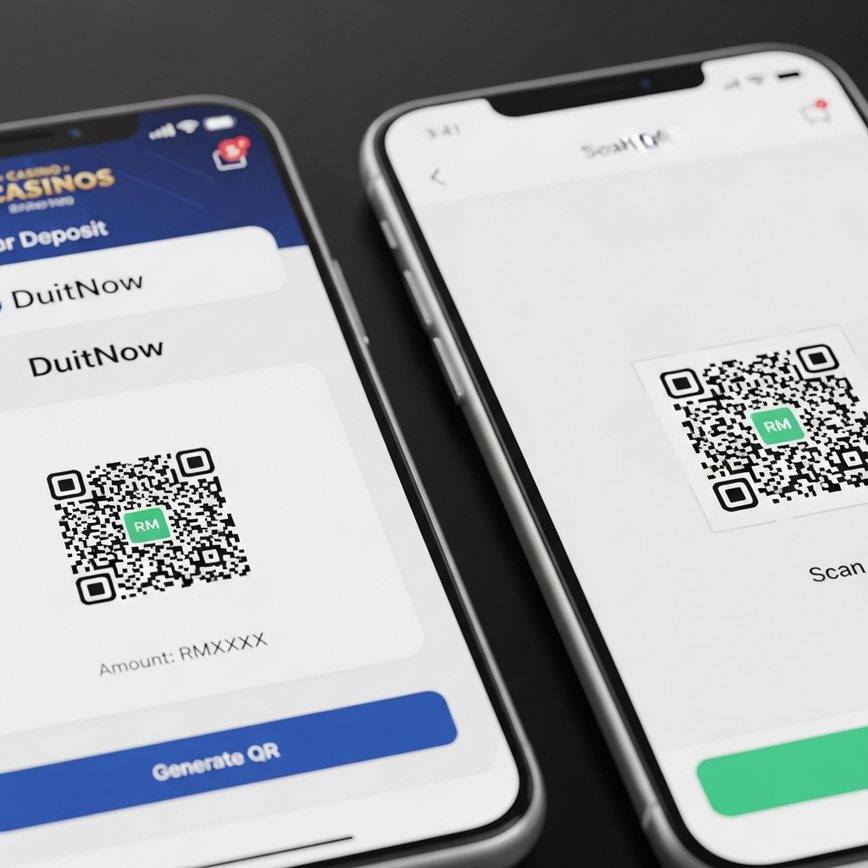
Step 4 — Scan the DuitNow QR
Point the scanner at the QR code Pirate777 generated. Shopee reads it and shows a confirmation panel with the merchant name and amount. Verify both before continuing — if the amount is wrong, cancel and start the QR step over rather than editing.
Step 5 — Authorise with PIN or biometric
Shopee prompts for your transaction PIN, fingerprint, or Face ID. Authorise the payment. The wallet debit happens immediately on Shopee’s side.
Step 6 — Wait for the Pirate777 confirmation
Switch back to the Pirate777 tab. Within roughly 10 to 30 seconds you’ll see Payment Successful and your wallet balance updated. Don’t close the tab during this window — if you do, the deposit still completes, but you’ll need to refresh to see the updated balance.
If the confirmation hasn’t appeared after about 90 seconds, jump to the next section. The funds aren’t lost; one of six specific things has happened.
Six things that can go wrong
These cover almost every stuck-deposit case we see. Run through them in order — they’re listed roughly by frequency.
1 — Insufficient ShopeePay balance
Symptom: Shopee returns an error during PIN/biometric authorisation, or shows a “balance too low” message.
Fix: Top your ShopeePay balance up via FPX (free) from your bank. After the top-up settles, return to the Pirate777 tab and tap Generate QR again — the old QR has expired by then. Don’t try to reuse it.
2 — QR code expired
Symptom: Shopee says “QR expired” or “invalid code” when you scan.
Fix: Pirate777 QRs are single-use and expire after a short window for security. Tap Generate QR on Pirate777 to get a fresh one and scan that instead.
3 — Daily ShopeePay limit reached
Symptom: Authorisation fails with a daily-limit or transaction-cap message inside Shopee, even though balance is fine.
Fix: Open Shopee, tap Me → ShopeePay → Settings → Limits to see your current daily cap. Basic ShopeePay accounts have lower caps than Premium-verified ones; if you regularly hit the cap, complete the in-app verification to raise it. Otherwise, retry the deposit tomorrow.
4 — Browser tab closed mid-confirmation
Symptom: Shopee charged you, but Pirate777 doesn’t show the deposit.
Fix: Refresh the Pirate777 page first — most “missing” deposits are just a stale view. If after a refresh the balance still hasn’t updated within five minutes, contact Captain’s Support on Telegram with the transaction reference number from your Shopee history. Funds aren’t lost; the system just needs to reconcile.
5 — Outdated Shopee app version
Symptom: QR scanner crashes or stalls when you point it at the code; Shopee force-closes mid-flow.
Fix: Update Shopee from the App Store or Google Play. App-version mismatches with the DuitNow standard are the most common cause of repeat-failure deposits. Update, restart the phone if the behaviour persists, then retry.
6 — Bank link to ShopeePay temporarily down
Symptom: You’ve already topped up ShopeePay but the top-up itself is “pending” inside Shopee, so the wallet shows insufficient balance even though the bank is debited.
Fix: This is rare and usually resolves within 5–15 minutes. Wait for the top-up to settle inside Shopee, then redo the Pirate777 deposit with a fresh QR. Don’t initiate a second top-up — you’ll end up with double the balance.
What happens after the deposit lands
Once the Pirate777 wallet shows the new balance, the funds are immediately playable across every game on the platform. There’s no manual transfer between game providers — our single-wallet system handles that internally. You can open a Pragmatic Play slot, close it, and switch to PG Soft or Jili without moving credits around.
The only exception is Mega888 and 918Kiss. Both are APK-only providers and live outside the single-wallet flow; they’re also excluded from promotional rolling. If you specifically want to play either, you’ll see them as separate destinations in the lobby.

If you ever want to reconstruct a session’s spending later, every Pirate777 deposit appears in your Shopee transaction history with timestamp and amount. The same goes for withdrawals when they cash back to your ShopeePay — see our ShopeePay withdrawal guide for that side of the flow.
18+ only. Decide your deposit amount before opening the Pirate777 deposit page; don’t increase it once you’re inside the flow. Pirate777 has deposit-limit and self-exclusion tools if you’d like a platform-side ceiling.
— Pirate777 Team. We verify our observations against each studio’s own published game data and, where a studio holds one, its licence record on the regulator’s public register.
Frequently Asked Questions
RM10. The amount you deposit is exactly what credits to your gaming wallet — we don’t take a fee on the deposit side, so RM10 in equals RM10 to play.
Yes. Open Pirate777 in your phone browser, generate the QR, and inside the Shopee app use the scanner’s gallery icon to upload a screenshot of the QR. The flow doesn’t require a second device.
Pirate777 QRs are single-use and short-lived for security — once issued, they’re tied to a specific transaction window. If you don’t scan within the window, you’ll need to generate a fresh one. This prevents an old QR being scanned later by mistake or by anyone who’d seen your screen.
Refresh the Pirate777 page — almost all missing-deposit cases are stale views. If after a refresh the balance still doesn’t update within five minutes, message Captain’s Support on Telegram or Live Chat with the Shopee transaction reference number. Funds aren’t lost; the system just needs to reconcile the two sides.
Most repeat failures with adequate balance trace to an outdated Shopee app — the QR scanner stops handshaking with the latest DuitNow standard. Update Shopee from the App Store or Google Play, restart the phone, and retry. If it still fails after that, send a screenshot to Captain’s Support so we can match it against the transaction logs.
Per-transaction caps depend on your ShopeePay account tier inside Shopee, not on Pirate777. Open Shopee → Me → ShopeePay → Settings → Limits to see your current per-transaction and daily caps. If you’re trying to deposit more than your tier allows, you can either split across two deposits or upgrade your Shopee verification.